Sliderberg lets you control the overall size of your slider with width and minimum height settings. You can adjust the slider width to fit your layout and set a minimum height to keep it consistent.
This helps your slider look clean, balanced, and well-structured across different sections.
Step 1: Go to Slider Settings #
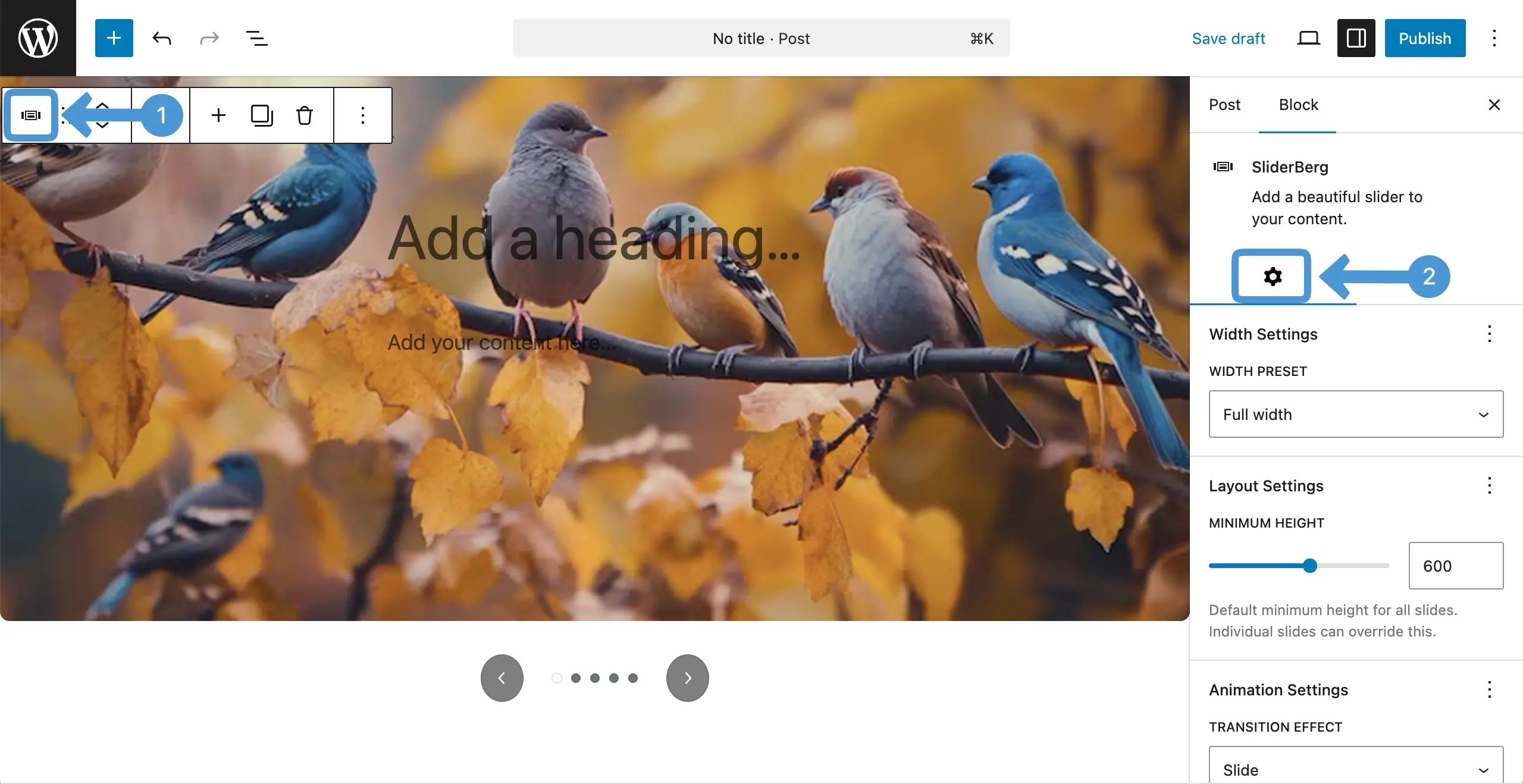
Select the entire Sliderberg block by clicking the icon on the toolbar. Then, come to the settings tab on the right sidebar.
Step 2: Set Width for the Slider #
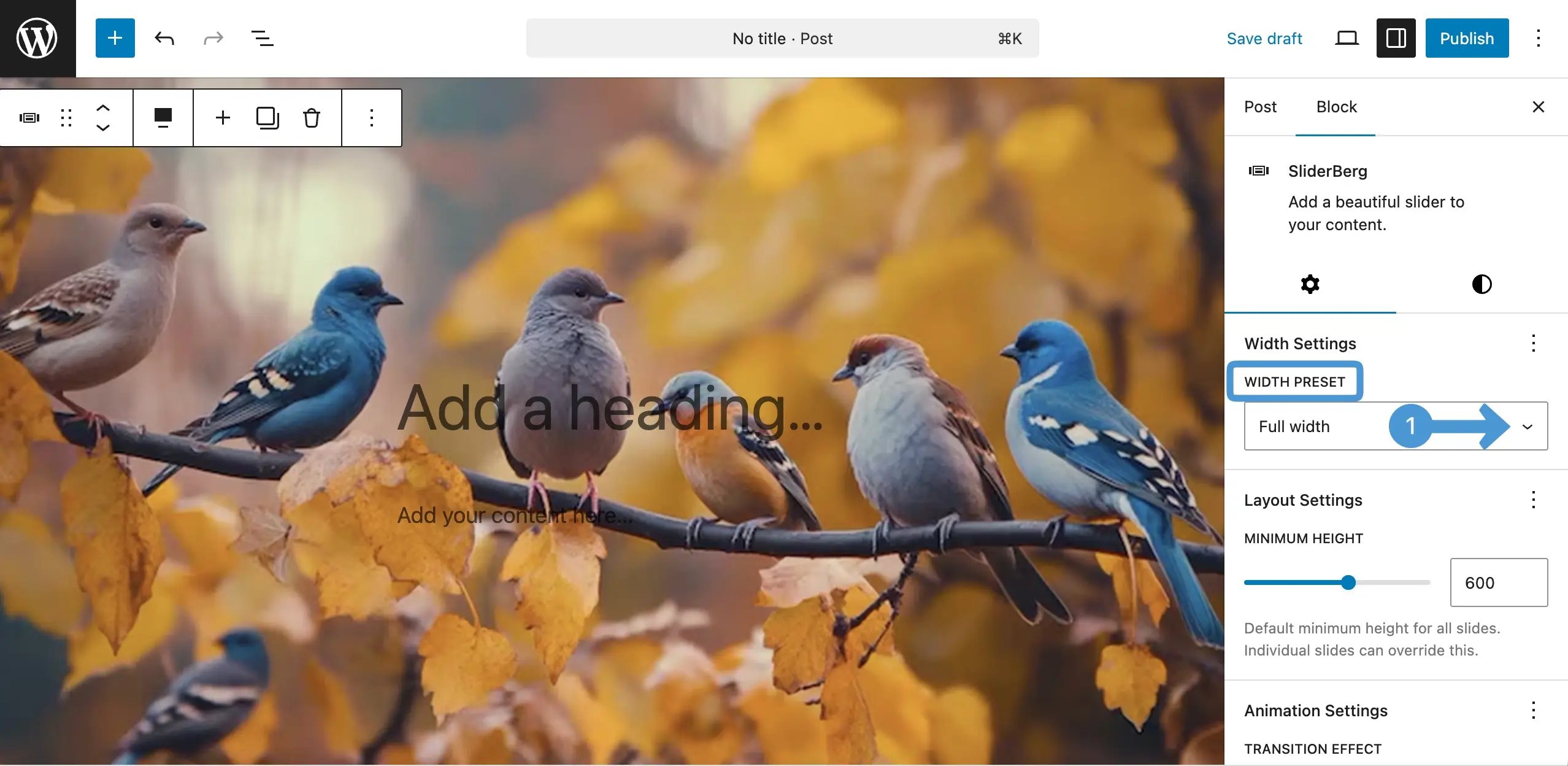
Right under the settings tab, you will see the Width Settings option. Click the dropdown icon as marked on the image below.
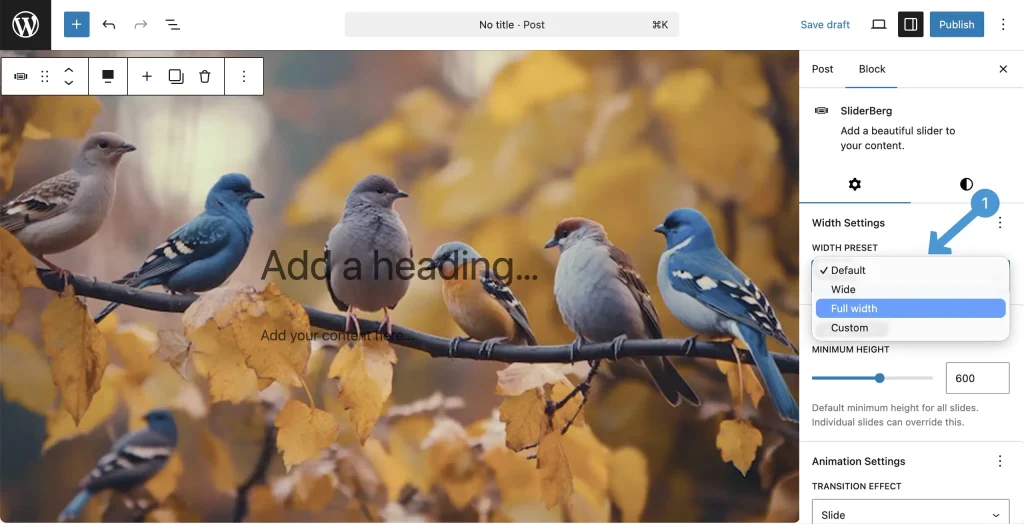
A list will open up. Choose the option you want to set for the width of the slider block.
Step 3: Set Minimum Height for the Slider Block #
Under layout settings, you will find the Minimum Height option. Set how much height you want to display for the block.

Conclusion #
Set width and minimum height based on your content and layout needs. Avoid extreme values that break design balance. Keep enough height for clear visibility and test on all devices to ensure your slider stays clean, stable, and easy to view.


