Sliderberg gives you simple control over how your slides look and behave. You can adjust the spacing between slides to keep your layout clean and readable. You can also enable Infinite Loop to keep the slider moving without stopping, creating a smooth user experience.
Step 1: Enable the Carousel Mode #
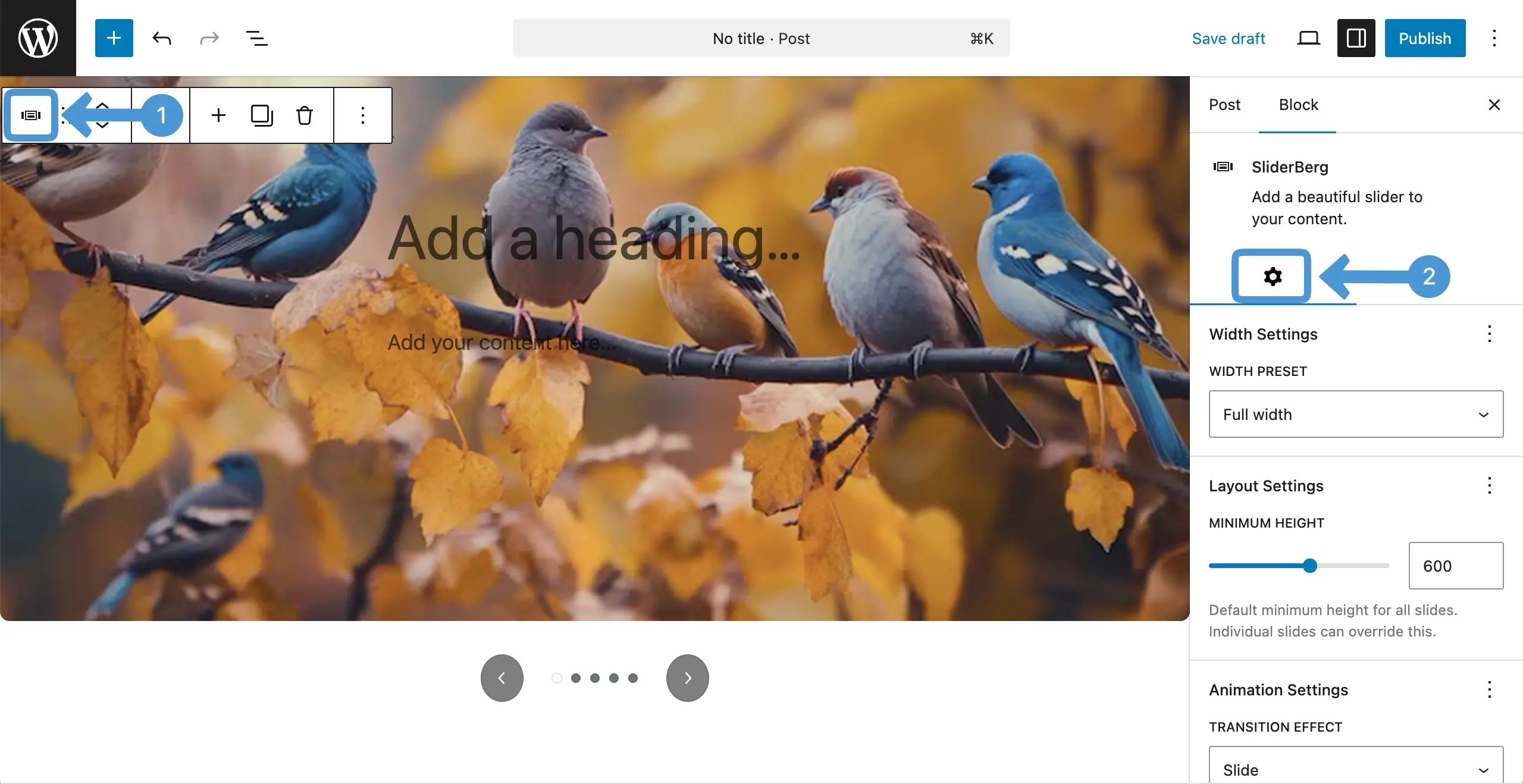
Select the entire Sliderberg block and come to the settings tab on the right sidebar.
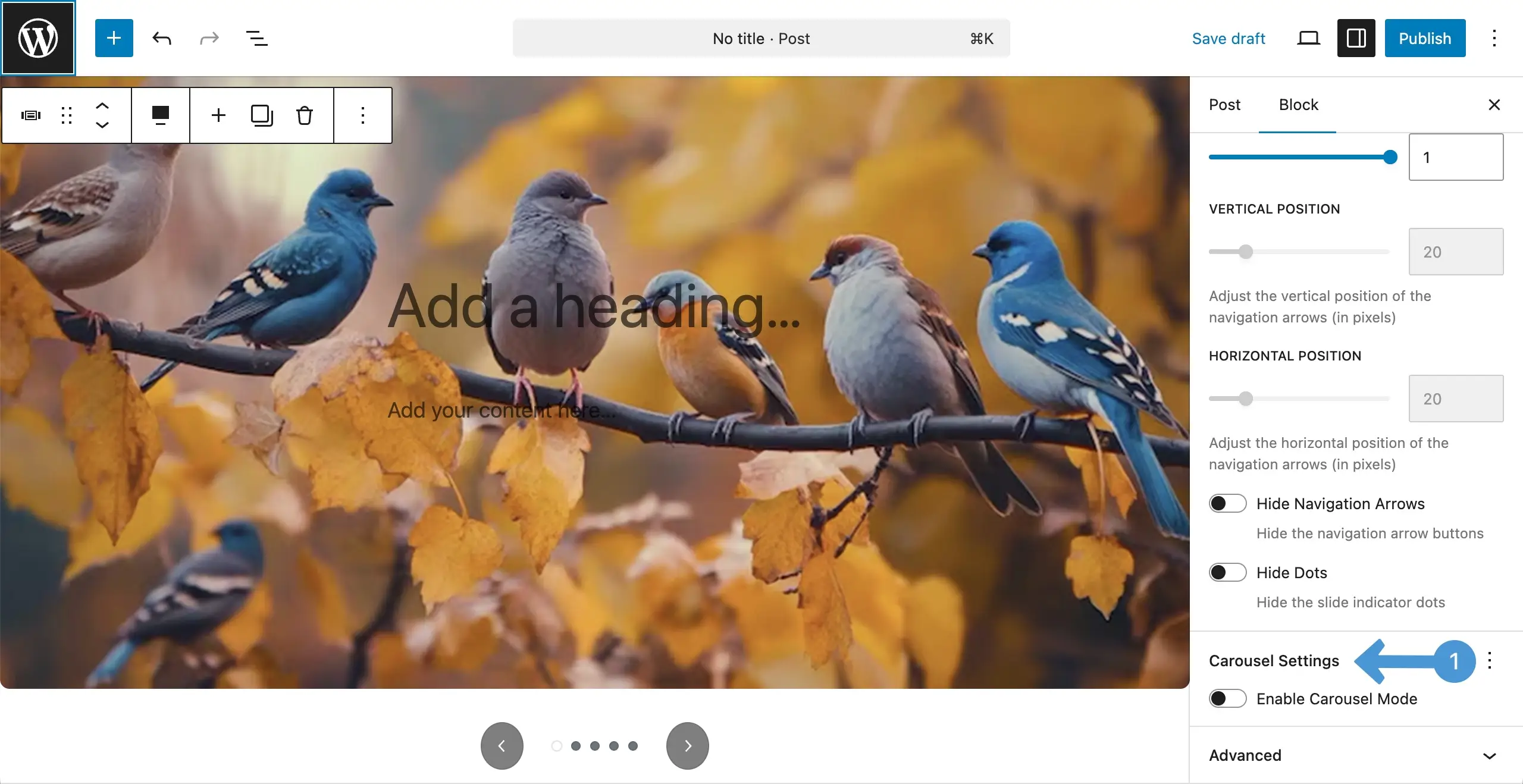
Scrolling down the tab, come to the carousel settings and enable carousel mode by toggling it on.
Step 2: Configure Slide Spacing and Infinite Loop #
Once the carousel mode is enabled, some more options will appear. There, you’ll get the Slide Spacing option. Place the value as you want.
After that, you can toggle on the Infinite Loop option.
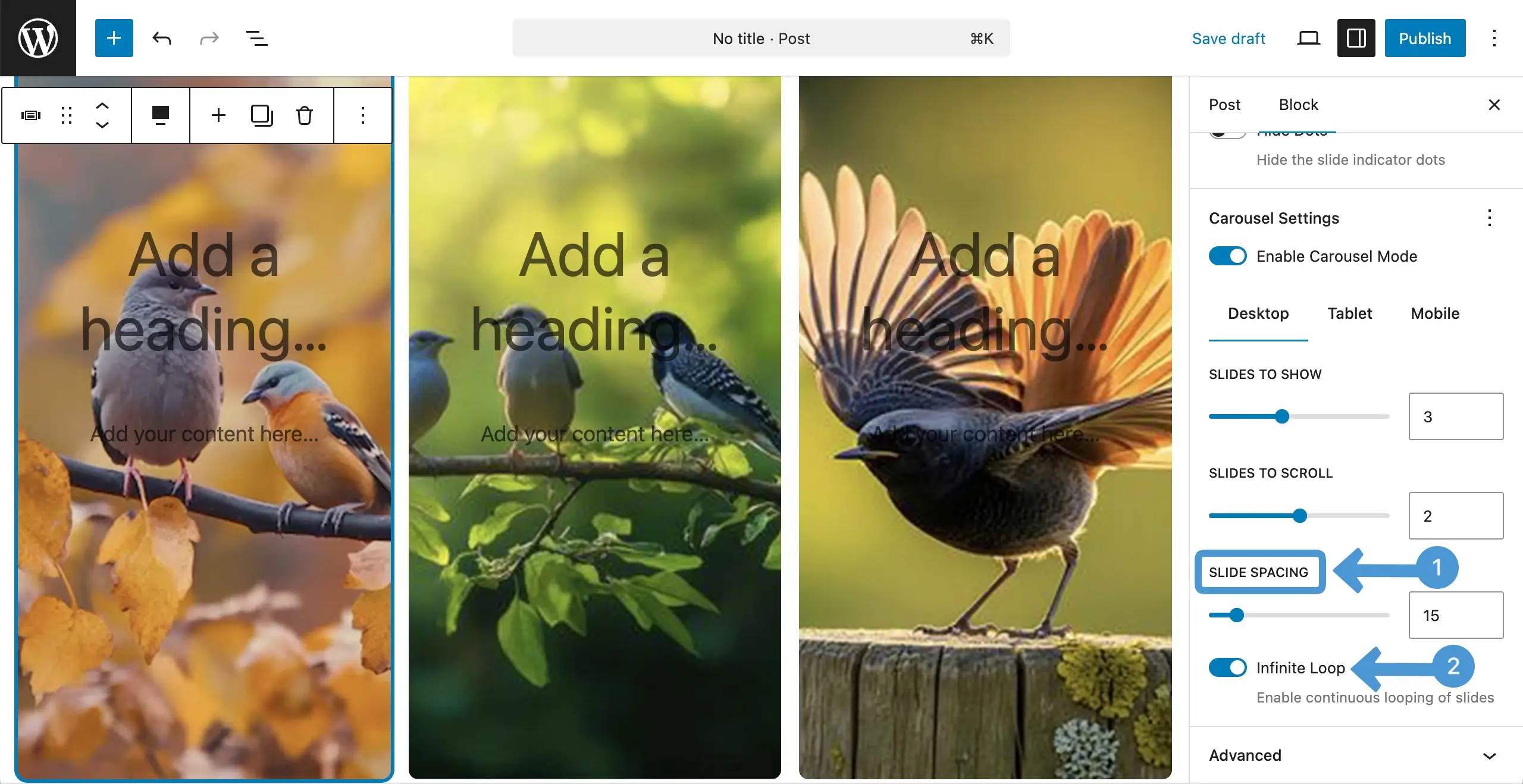
Thus, you can adjust the sliding space and the infinite loop.
Conclusion #
Use slide spacing to keep your layout clean and easy to scan. Avoid too-tight or too-wide gaps. Enable Infinite Loop only when it improves flow and does not distract users. Always test on different screens to keep the slider smooth, balanced, and user-friendly.


